top of page


MINI
ANDROID DESIGN/SYSTEMS DESIGN
Designing for Handheld Scanners - For Warehouse Staff
THE STORY
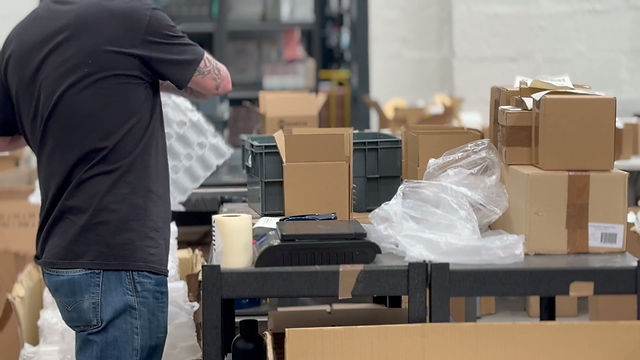
Unineed is a global e-commerce platform with its own inbuilt ERP (Enterprise Resource Planning) software XTOPUS. Being an e-commerce platform, it has multiple warehouses across globe, with the workers there relying primarily on the desktop XTOPUS app until now.
THE WHY
- Current process does not scale past 3k orders/day
- No active stock status between picking & packing
- Inefficient workflow-better automation can significantly decrease warehouse staff cost / increase productivity per person
- Loss of paper tickets leads to dispatch failures
- Bulk print of paper tickets leads to inefficient picking routes
Who was it for: Warehouse Staff
The Team: Product Manager + Engineering Team + Warehouse Staff + Me (Designer+Researcher)
Timeline: Jan. 2025 - Apr. 2025
Tools: Jira, FigJam, Figma, Microsoft Clarity, Lyssna
GOALS & CONSIDERATIONS
- Understanding of the current workflows, operations and day-to-day activities of the Warehouse team
- Understanding of multiple functions of the warehouse team
CONSTRAINTS:
- Hardware constraints (small screens, imprecise taps, etc)
- Environmental constraints (dust, noise, lighting, etc)
- Mixed tech literacy
- Mixed learning curve
- Connectivity constraints
EDGE CASES:
- Product becomes out of stock mid-picking
- Item unable to be scanned (wrong barcode, scan failure, etc)
- Wrong or damaged SKU
- Shipment paused across shifts
- Same shipment handled by multiple people
- Device battery dies mid-task
- User gets logged out
- User gets distracted/interrupted with another task
Designing for handhelds introduced constraints around screen size, connectivity, physical context, and shared usage. We treated interruptions, offline states, and partial completion as first-class scenarios rather than edge cases. The goal was to maximise throughput, reduce errors, and enable warehouse teams to operate confidently under real-world conditions.
BUSINESS GOALS:
- Reduce human errors
- Go eco-friendly
- Increase work efficiency and revenue
- Reduce picking & packing time
METRICS:
- Average processing time/order = 6 mins
- Error % = 3.5%
- Number of shipments processed/day = 3k
- Dispatch Failures/week = 11
THE BULLSEYE CUSTOMER RESEARCH
WAREHOUSE STAFF:
Demographics: Age: 25-50 | Works from the warehouse (faces temporary challenges like wearing gloves in winter, no dedicated computer, noisy environment, etc) | Only uses XTOPUS
FIELD RESEARCH :
Ask -> Observe -> Collect/Record -> Interpret -> Consolidate
I had 1v1 contextual inquiries with the warehouse staff, and some of the following questions were asked.
1. Can you walk me through your day-to-day work?
2. What are the challenges you face while picking?
3. What are the challenges you face while packing?
4. How do you find out stock discrepancies?
5. Can you explain how you would fix stock discrepancies?
6. Are there any challenges you face while assigning a shipment?
7. Can you walk me through different types of shipments?
8. What are some of the common blockers that interrupt your work?
9. Do you have any suggestions for improvement of your workflow? or any operation in particular?
I collected the recordings, notes and had interpretation sessions with the Product Manager. Some of the consolidated insights can be found below.
INSIGHTS:
Few things that helped us understand through research.
- Creating a shipment is not a single workflow, but two mental models colliding
- Marketing thinks in SKUs, timelines, marketplaces and value
- Warehouse staff think in boxes, weight, availability, routes & physical constraints
User needs, pain points and motivations from the research consolidated below..
IDEATE & ITERATE
Based on the insights, I have done Crazy 6s, iterated with my Product Manager and the developers, and arrived at the these sketches.

From paper to screens to beautiful experiences...


Designing for completely new experiences on a new device was very challenging (thanks to the developers and my product manager) but the warehouse team has welcomed it very well with some good results.
✅ 4500 average orders processed/day
✅ Average processing time/order = <4 mins -2mins
✅ Error % reduced to <1% -2.5%
✅ Eco-friendly as we moved from paper to screens
✅ Happy users & more revenue

What did I learn as a designer?
A really challenging project with a lot of constraints and edge cases that contributed to some of the following learnings
- Always design for future workarounds and scalability
- Edge cases are inevitable
- Always leave a gap for the unknowns
- Progress over perfection
bottom of page